


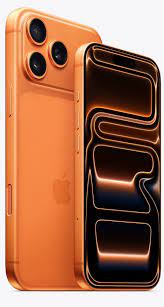


iPhone eSIM-Only in 2026: What Travelers Must Know
Your next iPhone may not have a SIM card slot at all — and if you travel, that changes how you get connected abroad. Apple has been phasing out the physical SIM tray for years, and in 2026 the shift reached a turning point: the iPhone 18 Pro is eSIM-only in 12 countries, and the iPhone Duo is eSIM-only everywhere it is sold.
That is good news once you know the system. A travel eSIM can cost a fraction of your carrier's roaming day pass, and you can install it before you even leave home. But it is bad news if you land in a foreign country expecting to buy a local plastic SIM — because on an eSIM-only iPhone, there is nowhere to put one.
Here is exactly what eSIM-only means in 2026, which iPhones are affected, what it costs to stay connected abroad, and the setup steps to sort out before you fly.
Last updated: October 15, 2026. eSIM-only country lists from Apple's September 9, 2026 iPhone 18 Pro and iPhone Duo announcements. Carrier day-pass and travel eSIM prices checked against provider pages and published comparisons in October 2026 — confirm live prices before you travel, as plans change.
Which iPhones are eSIM-only in 2026?
Not every iPhone is eSIM-only — it depends on the model and where you buy it. Here is the 2026 picture:
| iPhone | eSIM-only (no SIM tray) | Still has a SIM tray |
|---|---|---|
| iPhone Duo | Everywhere — worldwide, all markets | Nowhere |
| iPhone 18 Pro / Pro Max | 12 countries and regions (list below) | Everywhere else, including the UK and most of Europe |
| iPhone 17 Pro / Pro Max | Same 12 countries and regions | Everywhere else |
| iPhone 17 / iPhone Air / iPhone 17e | United States (US models have been eSIM-only since the iPhone 14 in 2022) | Most other markets |
The 12 eSIM-only markets for the iPhone 18 Pro and Pro Max, per Apple's announcement, are: Bahrain, Canada, Guam, Japan, Kuwait, Mexico, Oman, Qatar, Saudi Arabia, the United Arab Emirates, the United States, and the U.S. Virgin Islands.
The iPhone Duo goes further than any iPhone before it. It has no SIM tray in any country — including markets like the UK, India, Australia, and the EU, where the iPhone 18 Pro still ships with a tray. Apple says the Duo works with more than 500 carriers worldwide. If you are buying a Duo anywhere, confirm your carrier supports eSIM before you order.
What eSIM-only actually changes
An eSIM is a digital SIM built into the phone. Instead of sliding in a plastic card, you activate a plan by scanning a QR code, using your carrier's app, or transferring your line from your old iPhone during setup. Everything else about the phone works the same.
Three things matter for travelers:
- No local plastic SIM abroad. On an eSIM-only iPhone, you cannot buy a physical SIM at your destination and slot it in. Your connectivity abroad comes from your home carrier's roaming, or from a travel eSIM bought online.
- Dual eSIM keeps two lines live at once. eSIM-only iPhones support two active eSIM lines simultaneously and can store eight or more eSIM profiles. That means your home number stays reachable for calls and texts while a travel eSIM handles data — no SIM swapping, no carrying a second phone.
- Your phone must be unlocked to add another carrier's eSIM. A carrier-locked iPhone will not activate an eSIM from a different carrier. If you bought your phone on a carrier deal, check the lock status before you travel — our 4 ways to check if an iPhone is unlocked guide walks through it in two minutes. Locked vs unlocked is also the difference that changes what a phone is worth; our factory unlocked vs carrier locked explainer covers the full picture.
Apple also notes that eSIM-only models use the space freed by the missing tray for a slightly larger battery — one quiet upside of the change.
Travel data in 2026: carrier day pass vs travel eSIM
There are two ways to get data abroad on an eSIM-only iPhone: pay your home carrier a daily roaming fee, or buy a travel eSIM for your destination. The price gap is large.
| Option | What you pay | What you get |
|---|---|---|
| AT&T International Day Pass | $12/day, capped at 10 chargeable days per bill period | Your home plan's data, talk, and text abroad |
| Verizon TravelPass | $12/day international; $6/day in Canada and Mexico | 5GB high-speed data, then 3G speeds; unlimited talk and text |
| Verizon International Monthly Plan | $100/month | 20GB high-speed data, then 3G; 250 minutes, unlimited texts |
| T-Mobile Day Pass | About $5/day on the top plan, about $10/day on mid-tier plans | Full-speed data for the day; some plans include slow-speed roaming free |
| Travel eSIM — Airalo Japan | About $10 for 5GB / 7 days | Data-only, local network |
| Travel eSIM — Airalo Europe | About $25 for 10GB / 30 days, 39 countries | Data-only, multi-country |
| Travel eSIM — Holafly Japan | About $27.50 for unlimited / 7 days | Data-only, unlimited |
| Travel eSIM — Holafly Europe | About $34 for unlimited / 10 days, 36 countries | Data-only, unlimited |
The worked example: 7 days in Japan
Take a 7-day trip to Japan. On AT&T's International Day Pass at $12 a day, that is $84 for the week. An Airalo Japan eSIM with 5GB for 7 days costs about $10 — a $74 difference.
The two are not identical services, and the difference matters. The day pass keeps your home number fully working — your calls, texts, and data all behave as if you were home. The travel eSIM is data-only: your maps, messaging apps, and browsing run on the local network, while your home line stays active for incoming calls and texts (on dual eSIM) but may charge roaming rates if you answer calls or send SMS on it. Most travelers use the travel eSIM for data and keep the home line for receiving verification codes and urgent calls — which is exactly the setup dual eSIM makes easy.
How much data do you need? A typical traveler uses roughly 300–700MB per day: maps take about 50MB, social browsing about 150MB, and video calls about 300MB. A 5GB plan covers a week of normal use comfortably. If you stream video, tether a laptop, or work remotely, budget 1–1.5GB per day or pick an unlimited plan.
How to set up a travel eSIM before you fly
Do this at home, on Wi-Fi, at least a day before departure — not at the airport on arrival.
- Confirm your iPhone is unlocked. If it is carrier-locked, a travel eSIM from another carrier will not activate. Check in Settings → General → About → Carrier Lock: "No SIM restrictions" means unlocked.
- Buy the travel eSIM online. Pick your destination and dates from a provider like Airalo, Holafly, Nomad, or Saily. You will receive a QR code by email. Check the validity window — some plans start counting from activation, others from first connection.
- Add it on your iPhone: Settings → Cellular → Add eSIM → Use QR Code, then scan the code. Or use the provider's app, which can install the eSIM directly.
- Label your lines. Name the travel eSIM "Travel" and your home line "Home" so you can tell them apart in Settings.
- Set the defaults: make the travel eSIM your default line for mobile data, and keep your home line as the default for calls. Turn on "Allow Mobile Data Switching" only if you want the phone to fall back to your home line when the travel eSIM loses signal — otherwise leave it off, so the home line never silently racks up roaming data.
- Turn off data roaming on your home line. Settings → Cellular → tap your home line → turn off Data Roaming. This is the single most important step: it stops surprise roaming charges while keeping your home number reachable for calls and texts.
- Test it before you leave. The eSIM will show "No Service" or limited signal until you arrive — that is normal. What you are checking is that the profile installed cleanly and appears under Cellular with the right label.
Buying an iPhone abroad in 2026: the SIM question
The eSIM shift also changes how you shop for iPhones internationally. If you buy an iPhone in a market where it ships with a SIM tray — say, the UK or most of Europe — you still get a tray plus eSIM, so you keep both options. If you buy in the US, UAE, Japan, or one of the other 12 eSIM-only markets, there is no tray at all.
Before buying an iPhone abroad, check three things:
- Carrier lock: a phone bought on a carrier deal overseas may be locked to that carrier, and unlocking rules vary by country. An unlocked phone is the only one that takes any carrier's eSIM.
- eSIM support at home: if your home carrier does not support eSIM, an eSIM-only iPhone is a brick on their network. Confirm with your carrier before buying.
- Price vs. home: iPhones are not priced the same everywhere — taxes push prices far higher in some countries. Our Duo price comparison across 14 countries shows how wide the gap gets; the same pattern applies to every model. Paying more abroad for a phone that is harder to use at home is the worst of both worlds.
If you are buying used — especially from a private seller — run an IMEI check before you pay. A clean IMEI confirms the phone is not blacklisted and matches the model the seller claims. Our imei.ae lookup is built for exactly that check.
The 5 mistakes travelers make with eSIM-only iPhones
- Assuming a locked phone can take a travel eSIM. It cannot. Carrier-locked means locked to that carrier's eSIMs too. Check the lock before you buy the eSIM.
- Waiting until landing to set up. Airport Wi-Fi is unreliable, and a travel eSIM bought in a rush is how people end up on $12-a-day passes "just for today" — which becomes the whole trip.
- Leaving data roaming on for the home line. One background app update on the wrong line can cost more than the entire travel eSIM. Turn it off.
- Buying a data-only eSIM and expecting calls. Travel eSIMs are data-only. WhatsApp, FaceTime, and iMessage calls work fine over data — regular cellular calls and SMS do not.
- Not checking eSIM support in the destination. eSIM adoption is broad but not universal: confirm your destination's carriers and your provider's coverage before you rely on it.
FAQ
Is the iPhone Duo eSIM-only everywhere?
Yes. The iPhone Duo has no physical SIM tray in any country it is sold in — a first for an iPhone sold globally. It supports dual eSIM (two active lines, eight or more stored profiles) and works with more than 500 carriers, per Apple. Preorders open October 16, 2026, and it goes on sale October 23. Our Duo preorder guide has the full details.
Which countries sell the iPhone 18 Pro without a SIM tray?
Twelve countries and regions: Bahrain, Canada, Guam, Japan, Kuwait, Mexico, Oman, Qatar, Saudi Arabia, the United Arab Emirates, the United States, and the U.S. Virgin Islands. Everywhere else, the iPhone 18 Pro ships with a physical SIM tray alongside eSIM support.
Can I use a travel eSIM and keep my home number?
Yes — that is the main advantage of dual eSIM. Your iPhone keeps two lines active at once: your home line for calls and texts, and the travel eSIM for data. Just turn off data roaming on the home line so it never uses roaming data.
Is a travel eSIM cheaper than my carrier's day pass?
Usually, by a wide margin. A 7-day trip on AT&T's $12/day International Day Pass costs $84; a 5GB/7-day Airalo eSIM for Japan costs about $10. The day pass includes your home plan's talk and text; the travel eSIM is data-only. For data-heavy trips, the eSIM wins on price almost every time.
What if my destination's carriers don't support eSIM?
Then an eSIM-only iPhone cannot take a local plan there at all — you would rely on your home carrier's roaming or a regional travel eSIM that partners with a supported network. Check eSIM support for your exact destination before you travel, and before you buy an eSIM-only model for someone in that market.
